Los días de la semana

Los días de la semana

Tuesday, September 8, 2020

Read aloud Spanish books

Where do you find Spanish books for your kids and students?

I hate buying a ton of books because my own children just read too many! So I want to share something I have been doing.

Hoopla is a free app and website that links to your library card. On the search bar I simply put SPANISH and then usually it suggest Spanish Children. When I click there I get a GIANT list of options.
https://www.hoopladigital.com/. You can click on the ❤️ and create a list of favorites that you can borrow as you go. 

So, how do I know what books are appropriate for each of my kids and students?
If your school works with AR levels, then the Renaissance website will become your BFF!!!! I just search the title, and BOOM! I know the level!
I click on Parent, and then I am able to search for pretty much everything! Depending on my student's proficiency levels, I also challenge them to take the AR comprehension tests in Spanish.


I hope this is helpful to you, your own children and students. I know having the app be free allows you to share titles for the parents to pick from and use during virtual learning.

**I am not affiliated to either one, just sharing what has worked for me, my children and my students during this difficult time adjusting to virtual learning. **


------ Connect with me -------


Wednesday, August 26, 2020

En mi casa....

Hogar dulce hogar
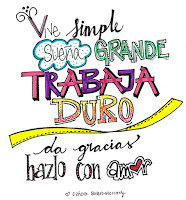
A home is more than a house. That is why every retail store these days is filled with inspirational quotes to hang around the house. With this idea in mind, I decided to have my students take a closer look at their families and use the affirmative tú commands to create some art. Here are the steps we followed.

Step 1: The idea was for them to decide what were some of the important things that were important to their families. I love lettering and do it as a hobby. Well, life gets busy and projects get set aside. So, when a workshop opened up with Lettering Works, I jumped at the opportunity!


The end result was cute and I made it a big poster to decorate my classroom. It also allowed us to talk about each of the commands I used and why those were important to MY family. 


Step 2: Students were given some time to brainstorm. Some fun music in the background for inspiration helped! We also embraced #throwbackThursday, left technology aside, and dusted off some paper dictionaries.
Step 3: I shared with them some examples and ideas that they could create. I made an example by just writing my commands with different fonts and then coloring them to give it some life.


This one is from Chelsie, the artist who hosted the workshop and the inspiration for mine. Click on the image to check out more of her work. 

A few months after, the semester wrapped up and I made them a little notecard thanking them all for lettering with me. I love it and it brings me joy, so I wanted them to find a different artistic outlet. 
This is the one I made later on:


------ Connect with me -------


Saturday, April 4, 2020

Spanish books


If I wasn't a teacher I would...


Who am I kidding? I have always liked teaching, even when I was on my way to go to med school! I always led our study groups ;D

However, during this time at home, I have envied my friends with office jobs who now get to sit at home with lots of FREE time. All their posts of books, and book clubs and books and more books! How I wish I had time to read more BOOKS!   Ok. Pitty party is O V E R!

My children have been having a BLAST reading SO MANY BOOKS! The days leading to our school closure, a couple of my co workers were very kind and let my children raid their classroom libraries so our stash of "new" books is pretty fantastic!

Also, I am thankful that I did not give their kids all their book fair books all at once! They have been able to get these now one at a time!!!

So all these books have been great for my older kids, but my youngest (4yo) constantly needs ME to read to her. If you, like me, just don't have a million free hours to read with your little ones, then this post is for you.

This post is ALSO for you, if you are a teacher who wants to share more stories with your students.


Here are some awesome website with cute Spanish books and stories!

1.The Spanish Experiment:  https://www.thespanishexperiment.com/stories/chicken-little

2. Spanish Mama's simple and cute fable stories! https://spanishmama.com/fables-fabulas/

3. Spanish fairy tales from The fable cottage: https://www.thefablecottage.com/spanish

4. Astronauts reading space themed stories!! https://storytimefromspace.com/astronaut-annie-2/

5. Easy readers from Spanish Playground: https://www.spanishplayground.net/easy-spanish-books-pdf-kids/

6. Scholastic's books and activities. All very engaging and fun https://classroommagazines.scholastic.com/support/learnathome.html

7. For my college-aged students: https://classroommagazines.scholastic.com/support/learnathome.html

8. Read conmigo: Their free sample is cute so I may be singing up for an account to check out more books. https://www.readconmigo.org/library

9. Spanish leveled readers from Reading A-Z: https://www.readconmigo.org/library

10. YouTube finds https://www.youtube.com/playlist?list=PLfs5ju_X8bFbuTMgAFUjHQ3A0HAFgFu58

11. Maguaré. Stories and trabalenguas! https://maguare.gov.co/leer/


**I am NOT affiliated with any of these companies. I have simply found their materials are well done and helpful for my kids and students**


Have you found other super awesome resources? Share them in the comments!

❤️Andrea


------ Connect with me -------


Guided drawings

Guided drawings

My children LOVE  to draw, color and create stories from drawings. During this time, I have found some incredible tutorials to keep us entertained. 

I have also started creating some for my students in order to make sure that we have fun, keep them creative, but also reinforce some of the concepts we had been learning in class these last few months. 
Check them out here on my YouTube channel. If you find them helpful, share the link in your lessons! 
**I am not good at drawing, so my examples are simple and doable by my 4th-8th graders and even my college students! There is no excuse for them not to have fun!**
These are the originals:

.         

Versus the wonderful submissions from some of my students:


Since my own kids know all my "party tricks", I did some digging and found some awesome, talented artists that could help us out. Here are some of our family favorite:


- Doodles with Mo Willems: The incredible creator of my Kinder's fave Piggy and Gerald has taught us SO much about the art of drawing. Enjoy his tutorials HERE.  He even taught us to make some cute animations and inspired us to have dinner and doodles


- Spanish playground has a cute panda session HERE

- FUN and free printable guided drawings from one of my favorite clip artist on Teachers Pay Teachers: Zip-A-Dee-Doo-Dah. Check them out HERE.


- Cute Spanish videos on YouTube HERE.  


- The dude from the Underpants books!!!! Check it out HERE

Have you found OR created any doodling places that you love? Share them in the comments!

Stay inside everyone and let us get through this together!
❤️Andrea


------ Connect with me -------


Sunday, March 15, 2020

The start of E-Learning

I have always been a bit OCD when it comes to cleaning, hand washing and stuff like that. This quarantine did not require for me to get hand sanitizer because we always keep giant Sam's club size refills on hand!

No matter how much I remind my kids about the importance of hand washing, I always get some serious eye rolls! Well, we start our E-Learning week on tomorrow and that has made us have some interesting conversations over the weekend.  We have tried to answer any and all questions that they throw our way! One of the most important points we are trying to make, is that while we are a healthy crew, there are people that are not and we need to protect them!

I saw this experiment and I had to do it with them. Simple and straight to the point.

All you need is water, pepper and dish soap!

They get it!


Watch them HERE!!!!


Resources for the Spanish classroom

It has been a while since I blogged.
Lately, I have been focused on creating lots of resource for my children and my students. This leaves me with very little time to share with you some of my fun activities!

Now that we have to be at home all day, every day, I promise to share more here!

Today, let me start with sharing some resources that I have been using for years that have facilitated my teaching, grading and overall instruction.


1. FLIPGRID: The free version allows students to record up to 5 minutes. I have used it for reading comprehension where you can post an open ended question and have students share with you. I have also used it for short presentations. You can enable so that other students have to comment on each other's presentations. Here is a quick video tutorial. 

Great app for speaking assessments that you can just grade at home and all students can submit at the same time!

2. Google forms: A great tool to create quizzes! Simple concepts to open ended questions and multiple choice. Easy to grade as well!

3. Screen recording: On my MAC, I use Quicktime to create screen recordings of lessons. You can create a power point, set it to presentation mode and just talk to your students! For PC, I have found Screencast.com. The free version does have a time limit, but you can make as many videos as you need!

4. Zoom.us: Perfect platform for meeting with students in a group or one on one. Allows you to share screens or white boards. Its recording tool allows you to have videos of those sessions! The free version usually has a time limit on the meeting, but during this time, Zoom has lifted that to accommodate the needs of our communities! Watch this quick tutorial video. No docu cam? NO PROBLEM! Check out my low budget one ;D here

5. EdPuzzle.com: Perfect to use with those videos you have found or created. You upload any video, or video link from YouTube, etc., and can add comprehension questions along the way! Also FREE! Watch a quick video tutorial HERE

Feel free to comment and share what are some of the apps that are helping you transition into these e-learning days!

Let us be a team and help each other. 

With love, 
Andrea
-------------UPDATE ---------------
Here are some more options I keep remembering and others keep sharing. 

1. Prezi.com: A fun free up to spice up your Power Points! Works really well when you do a screencast. 

2. Flipsnack: https://www.flipsnack.com/. This one is new to me. I am intrigued! If you have used it, please share your experience. 

3. Storyboardthat.com. Perfect for students to create scenes that you can use to review any topic! Its amazing to see those of us with limited drawing skills to have incredible masterpieces!


---------------MORE RESOURCES!--------

Screencastify: https://www.screencastify.com/products/screen-recorder: Another good tool to record your lessons.

Seesaw https://web.seesaw.me/: I am impressed with this app and will be figuring out a way to use it in my classroom. My children are using it and it has so many options! Submit a drawing, write, record video, etc. It all is saved in one quick place so you don’t have to use different apps!

Classkick https://classkick.com/?fbclid=IwAR1HDOYJk7apabSvPAzd6UKR8tiqxm_gr-7FA0RUbeNAfQDurfbuawfAQbI: Seems fun to be able to add content for the students to work independently.

Kahoot https://kahoot.com/: All my students have loved this app. From the young ones, to the “cooler” high schoolers to my college students. You can search pre made Kahoots or make your own. It also prints a report so its great for reviews!

Quizlet http://quizlet.com : Another great resource for students to review the vocabulary. It makes flashcards with visuals, and students can play games to improve their vocabulary skills. Watch my quick tutorial HERE

Pear Deck https://www.peardeck.com/googleslides: A fun add on to your Google Slides! It has many templates to include interactive ideas into your Google Slide presentations.


Monday, November 19, 2018

Pronunciation challenges

Pronunciation in your classroom

Last week, while browsing a Facebook group filled with fabulous language teachers, the topic of pronunciation and teaching the alphabet was brought up. One teacher wanted new ideas for reviewing the alphabet with her students. I loved reading all the different ways in which we are all engaging our students differently in order to get to the same goal: proficiency!

The thread became a phenomenal list of activities that inspired me. I had been wanting to create some task cards with challenging words for my students and this conversation gave me the push I needed.

So, let me share with you a list of some of the activities that you can use in your classroom as well as my pronunciation task cards.

Activity 1: Teléfono roto.
An oldie but a goodie. Get your students in small groups and hand student 1 a card. Let them spell it to student 2, and 2 spells it to 3 and so on. The last student has to spell it out loud or write it on a piece of paper. They all compare it to the original. Round 2 changes who student 1 is so everyone gets a chance to be at different stages of the line.


Activity 2: Yo tengo. ¿Quién tiene? Create multiple copies of this set of words. Give each student 2 cards. They can pick one that they have and one they are searching for.  Students roam the classroom sharing with others (by spelling) the word they have and the one they need.

Activity 3: Around the world.  My students have enjoyed this one with different topics. Most say that being in the spotlight is a great challenge and makes them work harder. Student 1 and student 2 stand by each other. Word is given. Both get a chance to spell it. Whoever does it correctly moves on to challenge student 3. The student who can be the last one standing is the winner. Second winner can be the student with the higher winning streak. As a way to engage all the students who are no longer in the running to win, have them spell them out on a piece of paper and award them something if they can get the rest of the words right!

Activity 4: Spelling bee contest.  Make it a contest, pick a reward, and have some fun! For students who start losing, ask them to create small groups where they can all practice writing out the word that is given in the challenge and serve as helping judges.

Activity 5: Hot potato.  My beachballs are always a hit. Make a circle, say the word aloud and have students spell while passing the ball. Student who says something incorrectly is out. Start a "losers" bracket / second group and that way everyone continues to be
challenged.
Activity 6: Quiz, quiz, trade. Students roam the room and find a partner. They quiz them by saying their card aloud. Student 2 then spells it out. Then student 2 quizzes student 1 with their card. After they are done (quiz, quiz), they trade and move on to find new partners! Perfect bell ringer!

Activity 7: Matamoscas.  have the words written on your board, or use these cards to display on your smart board or make copies to put on board. Have a second set to give around to students. Select random students to come up to the board and select one of the students on their seats to slowly start spelling out the word on the card they have. The students standing by the board need to hit the correct word being spelled out in order to win.

Activity 8: Relay races.  Divide students into smaller groups. Student 1 says word from card to student 2. Student 2 must spell it aloud correctly. Then student 2 then pronounces his card to student 3. Student 3 spells and so on. Team that complete this task in the least amount of time is the winner!